CRS 2.5.7
CRS 2.5.7 was released on June 11, 2013. It contains fixed issues affecting the following reports:
- Money Collected by Payment Source
- Report Header Date Display Issue
- Money Collected by Payment Source and Money Collected by Payment Type
- Report Title Date Display Issue
- Style Changes
- Multiple Reports
- Parameters Page Date Validation Issues
Money Collected by Payment Source
Report Header Date Display Issue
Sometimes the report header was incorrectly formatted due to the way Start Date or End Date were input on the parameters page when generating the Money Collected by Payment Source report. For example, if the user added a special character to the date on the parameters page such as 05-16/2013 (rather than the standard date format of 05/16/2013), the report header displayed the date as 05-16/2013 instead of 05/16/2013.
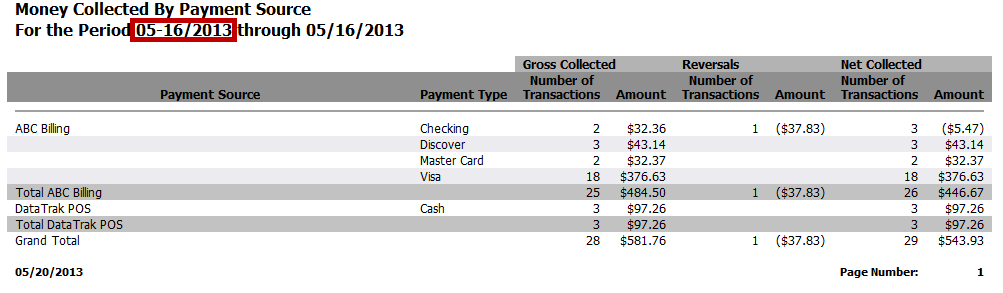
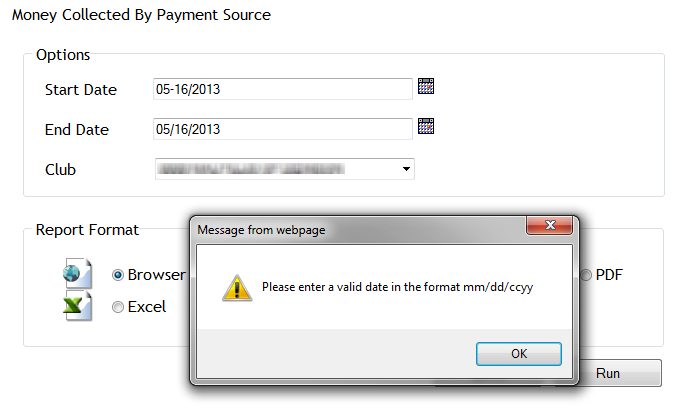
The issue has been corrected. An error message appears when the date format varies from MM/DD/CCYY. Once the format is corrected on the parameters page, the report header is generated normally.
Money Collected by Payment Source and Money Collected by Payment Type
Report Title Display Issue
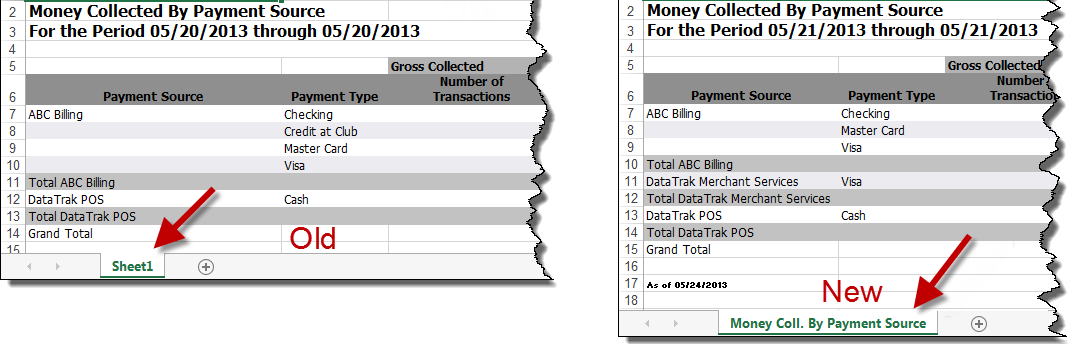
The report title did not appear in the web browser tab, Active Report tab, or the Excel tab sheet for the Money Collected by Payment Source and Money Collected by Payment Type reports. The issue has been corrected so that the appropriate report title appears.
An example of the Excel report can be seen here:
An example of the browser report can be seen here:
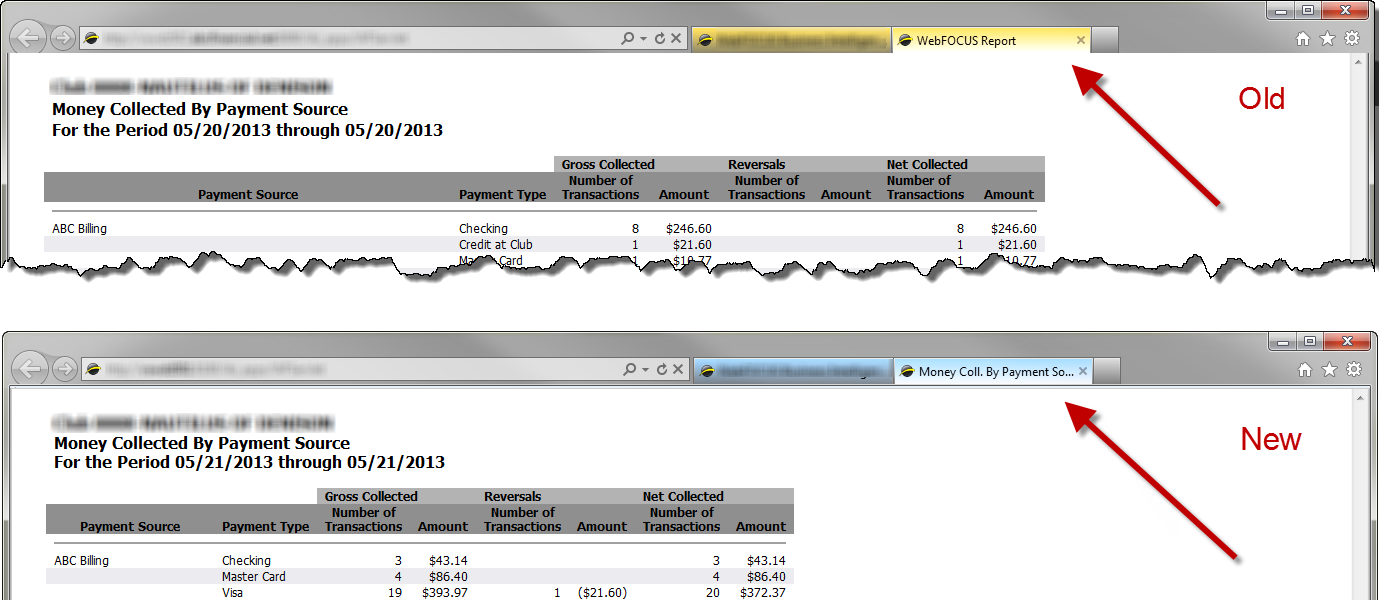
The Active Report title displays like the browser report title in the tab pictured above.
Style Changes
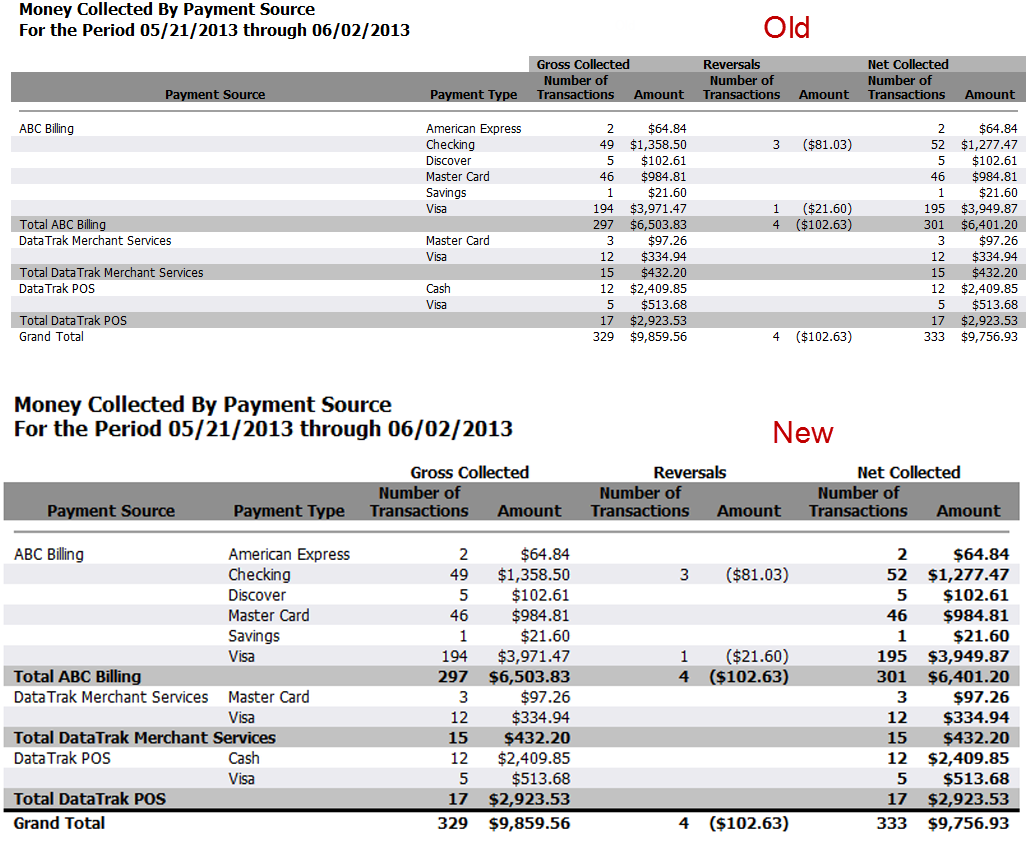
Styling on the Money Collected by Payment Type and Money Collected by Payment Source reports was changed so that subtotals and grand totals stand out from other data. The Money Collected by Payment Source report is shown below. Totals are now bold in both reports.
Multiple Reports
Parameters Page Date Validation Issues
Previously,the following errors did not affect queuing several reports:
- entering a future End Date
- entering an End Date earlier than the Start Date
- leaving the Start Date and/or End Date blank on the parameters page
- the report was run through February 29 in a non-leap year
In each of these scenarios, the message below was displayed, indicating the report was successfully queued.
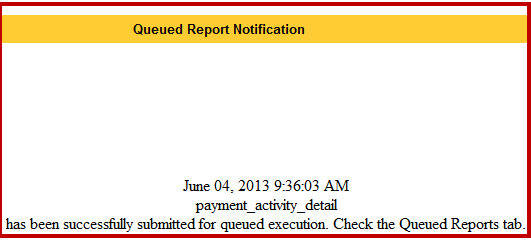
A similar error occurred when trying to run the reports when entering a future end date. No error message appeared to prompt the user to correct the issue.
These issues have been corrected so that when invalid dates are entered on the parameters page an error message alerts the user to correct the error. After a valid date is entered, the report is queued normally.