Changing Your Password
Passwords in DataTrak are required to meet PCI (Payment Card Industry) Data Security Standards.
See PCI Compliance.
Use the Password Manger to change your password.
To change your password
- Click the Password Manager icon on the menu bar.
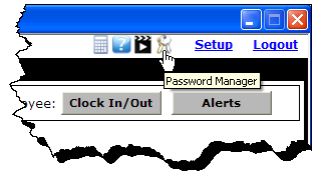
The Password Manager dialog box appears.
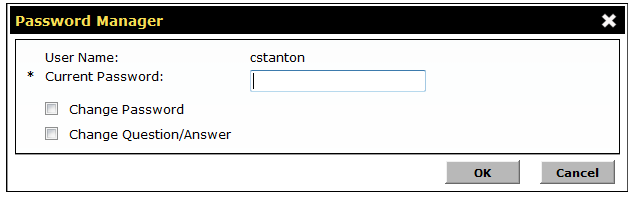
- Type your Current Password.
- Click the Change Password check box.
The section expands to allow you to enter a new password.
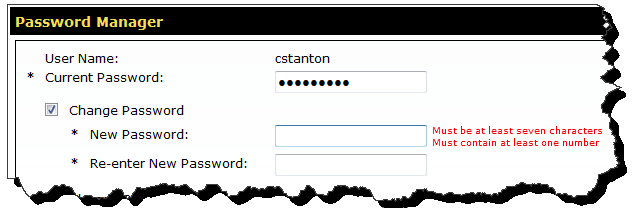
- Type a New Password. Your password must be at least eight (8) characters in length, and it must contain at least one number (0-9) and one letter (A-Z).
- Re-enter your New Password to confirm it.
- Click OK.
The dialog box closes and your password is changed.
 © 2024 ABC Fitness Solutions, LLC.