Adding Items to a Favorite
When you add items to a Favorite, you either add the item to an empty panel on the Display, or you can replace an existing item on the display.
Dashboard does not permanently save the contents of a Favorite or the settings of its items until you save the Favorite. For more information, see Saving Favorites.
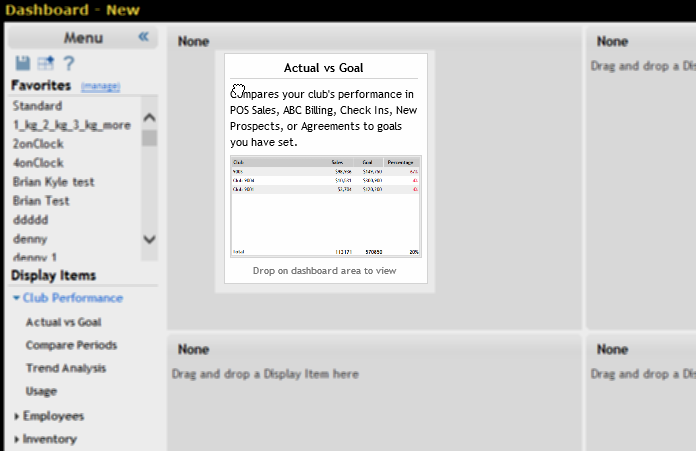
To add an item to a Favorite:
- If necessary, display the Sidebar menu. For more information, see Showing the Sidebar Menu.
- Click the name of a Display Items category to show its items. See Display Items.
- Drag the item onto the Display.
- Release the mouse button to drop the item.
You can preview a Display Item before adding it to the Favorite. For more information, see Previewing a Display Item.
 © 2024 ABC Fitness Solutions, LLC.