Making Default Favorites
The default Favorite is the favorite that appears when the Dashboard page opens.
To set a Favorite as the default:
- Click the Manage Favorites link.
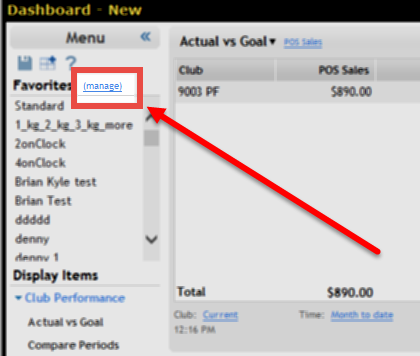
- Locate the name of the favorite in the list.
- Click the Make Default link for the Favorite.
- Click Close.
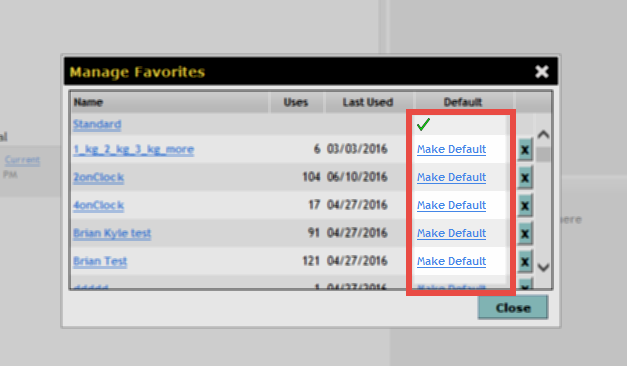
Dashboard places a check mark ( ) in the Default column for the display.
 © 2024 ABC Fitness Solutions, LLC.