Setting the Dashboard to Open when DataTrak Starts
To ensure that the Dashboard is the first thing you see when DataTrak starts, set Dashboard as the default for the workstation.
To set the Dashboard as the workstation default:
- Navigate to Setup>Settings>Workstation.
- On the Edit Workstation page, select Dashboard as the Default Page. (Or you can select Beta Dashboard to start DataTrak with Dashboard 2.0.)
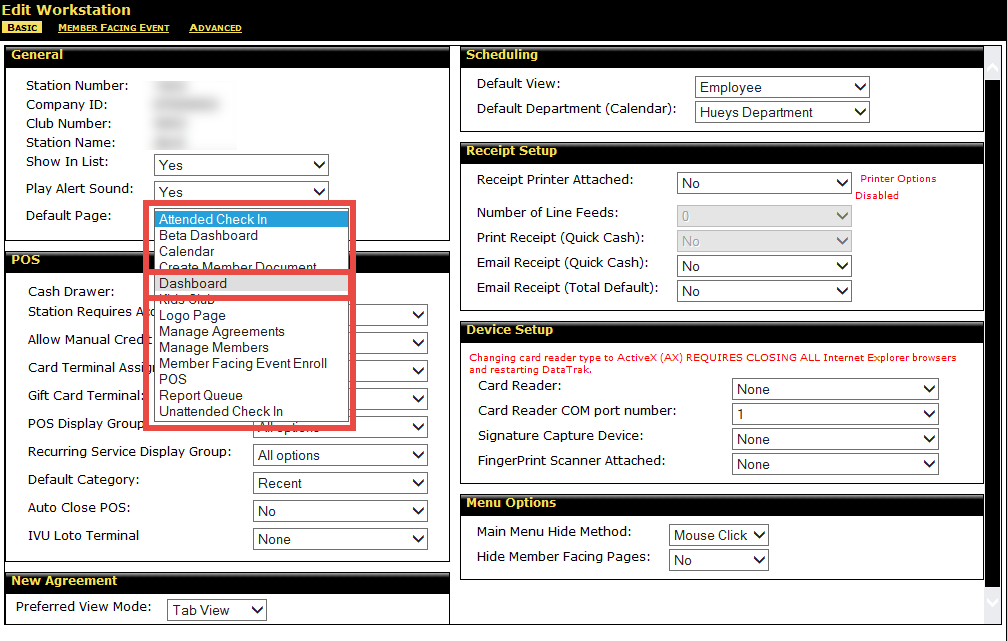
- Click Save.
 © 2024 ABC Fitness Solutions, LLC.