Editing Items
To edit items at the club level:
- Open the Setup Menu.
- From the Inventory submenu, select Club Items.
- Select the number of the club at which the item is available.
- Search by entering a value for one or more of the criteria listed on the top half of the page (Status, Type, Event Type, etc.). You can also search by the date the item was created or last modified.
- Click Search.
The Edit Club Items page lists information about the item as it was entered from the Edit Catalog Item page.
 Show me what I can do on the Edit Club Items page for a service:
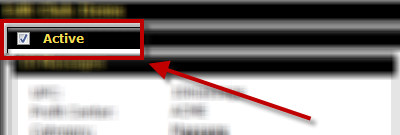
- Make the service Active or Inactive by checking or unchecking the Active box at the top of the page.
- Change the Featured Item option to Yes or No.
Featured items can be found under the Featured category in POS.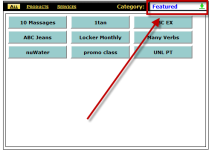
Featured items will not be removed from their original categories and can still be found there. - Add a club-level Note to this item.
- Change the Price of the service at the club (if the price was not Fixed on the Edit Catalog Item page).
- Change the Prompt for Price option at the club (if this option was not Fixed on the Edit Catalog Item page).
- Change the Item on Hold option at the club (if this option was not Fixed on the Edit Catalog Item page).
- Change the Allow Discount option at the club (if this option was not Fixed on the Edit Catalog Item page).
- Change the Default Discount option at the club (if this option was not Fixed on the Edit Catalog Item page).
- Change the Override Discount (POS) option at the club (if this option was not Fixed on the Edit Catalog Item page).
- Set the Commission Group for the item. Learn more
Show me what I can do on the Edit Club Items page for a product:
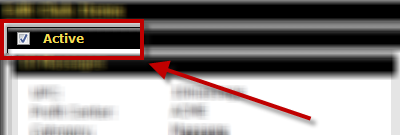
- Make the product Active or Inactive by checking or unchecking the Active box at the top of the page.
- Select the Vendor for this product at the club.
- Select the Alternate Vendor for this product at the club.
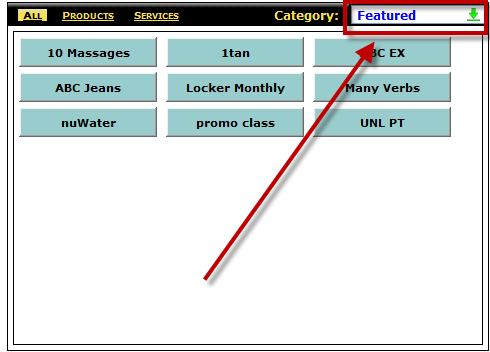
- Change the Featured Item option to Yes or No.
Featured items can be found under the Featured category in POS.
Featured items will not be removed from their original categories and can still be found there. - Add a club-level Note to this item.
- Change the Price of the product at the club (if the price was not Fixed on the Edit Catalog Item page).
- Change the Prompt for Price option at the club (if this option was not Fixed on the Edit Catalog Item page).
- Change the Item on Hold option at the club (if this option was not Fixed on the Edit Catalog Item page).
- Change the Allow Discount option at the club (if this option was not Fixed on the Edit Catalog Item page).
- Change the Default Discount option at the club (if this option was not Fixed on the Edit Catalog Item page).
- Change the Override Discount (POS) option at the club (if this option was not Fixed on the Edit Catalog Item page).
- Set the Reorder Level for the item.This is the quantity of the item at which it will need to be reordered. See also:Reorder Levels and Reporting on Reorder Levels.
- Set the Commission Group for the item. Learn more
- Manage the quantity of the item if the item is stockable.
 © 2026 ABC Fitness Solutions, LLC.